Christmas Theme Mockup Poster and Banner: Transform Your Artwork into a Festive Masterpiece
The holiday season is a magical time for creators, shop owners, and artists. Whether you sell canvas prints, digital art, photography, or hand-lettered posters, the way you present your work can make all the difference. A Christmas Theme Mockup Poster and Banner is a ready-to-use Photoshop template that lets you place your designs into beautifully styled, holiday-inspired interiors. It bridges the gap between your digital file and the real-world experience of hanging art on a wall — complete with twinkling lights, cozy fireplaces, and evergreen garlands. In this article, we will explore what this mockup offers, why it matters for your business, how to use it step by step, and how it elevates the perceived value of your work.
What Exactly Is a Christmas Theme Mockup Poster and Banner Mockup?
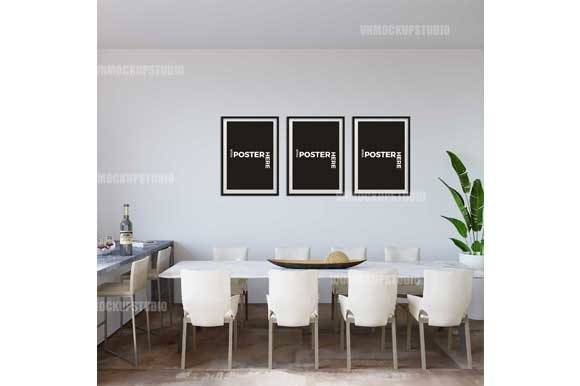
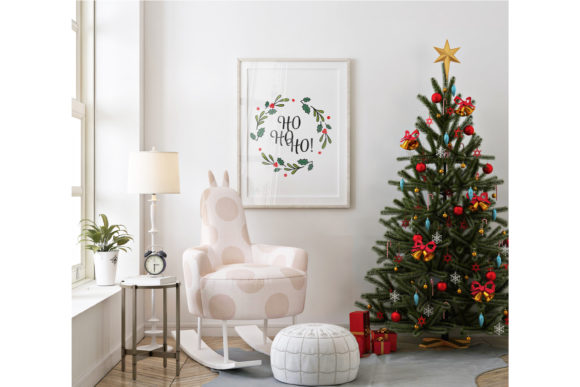
A mockup is a pre-designed template, usually created in Adobe Photoshop, that simulates how your artwork would look in a physical setting. The Christmas Theme Mockup Poster and Banner comes in both JPEG and layered PSD formats, giving you the flexibility to present your designs on a poster, a banner, or both. The file includes a smart-object layer, which means you can insert your own image with just a few clicks. The frame, shadows, and lighting automatically adjust to match your artwork’s shape and proportions. This particular mockup is themed around Christmas interiors — think warm rooms decorated with ornaments, wreaths, and festive colors — so your art instantly feels part of a seasonal story.
The file dimensions exceed 2000×2000 pixels at RGB color mode, ensuring high-resolution output suitable for online shops, blog posts, and social media. Because the smart-object layer works with any image size, you don’t need to crop or resize your artwork beforehand — the mockup handles it for you.
Why Presentation Matters: The Role of Mockups in Your Online Shop
In e-commerce, customers cannot touch or see your product in person. They rely entirely on images to decide whether a piece of art will look good in their own home. A flat, isolated image of your artwork tells only half the story. When you place that same artwork into a realistic interior — especially one that evokes the warmth and joy of Christmas — you immediately help the buyer visualize the piece in their own space. This visual context builds trust, reduces hesitation, and often leads to higher conversion rates.
Beyond trust, mockups also communicate professionalism. A shop that uses carefully staged lifestyle images signals that the seller cares about quality and detail. The Christmas Theme Mockup Poster and Banner allows you to maintain that level of polish without hiring a photographer or renting a studio. You get a consistent, on-brand look across all your product listings, blog banners, and social media posts — all from a single PSD file.
Common Misunderstandings About Mockups
Some creators worry that using a mockup is “cheating” or that it misleads customers. In reality, mockups are a standard industry tool, used by everyone from small Etsy sellers to global brands like IKEA and Apple. The key is to use a mockup that accurately represents the size, finish, and lighting of your actual product. A well-designed mockup like this one does exactly that — it shows your artwork in a realistic setting, so customers can imagine it on their wall. It’s not deception; it’s visual storytelling.
How to Use the Christmas Theme Mockup Poster and Banner: Step by Step
One of the best features of this mockup is how easy it is to use. Even if you’re a Photoshop beginner, the process is straightforward. Below is a simple walkthrough.
- Open the PSD file in Adobe Photoshop. Make sure you have a version that supports smart objects (CS6 or newer works fine).
- Locate the smart-object layer. In the Layers panel, you’ll see a thumbnail labeled something like “Place Your Art Here” or “Smart Object.” Double-click on that thumbnail. A new window will open with a placeholder image.
- Insert your artwork. Drag your image file into that new window, or use File → Place Embedded. Position and scale it as needed. The smart object will automatically match the frame of the poster or banner.
- Save the smart object. Press Ctrl+S (Cmd+S on Mac) to save the changes, then close that window. Return to the main mockup file. Your artwork is now displayed inside the Christmas-themed scene.
- Adjust if necessary. Because the mockup adapts to any image ratio, your art will fit perfectly — no manual masking or warping required. You can also tweak the background or lighting if you have advanced Photoshop skills, but the template works beautifully right out of the box.
That’s it. The entire process takes less than a minute once you’ve done it a couple of times. The same PSD file can be used multiple times with different artworks, making it a reusable asset for your entire holiday catalog.
Beyond the Basics: Creative Ways to Use This Mockup
While the primary use is for product listings, this mockup is versatile enough for a wide range of applications. Here are a few ideas:
- Blog featured images – Write a holiday-themed blog post about “5 Ways to Decorate with Winter Art” and use the mockup as your lead image. It instantly ties the post to the season.
- Social media posts – Create a series of Instagram or Pinterest pins showing different artworks in the same festive room. Consistency builds brand recognition.
- Email newsletters – Use the mockup as a header image to announce a Christmas sale or new collection. It adds visual warmth to your message.
- Portfolio presentations – If you’re a designer or illustrator, include the mockup on your website to show clients how your work looks in a real interior. It demonstrates your professionalism and attention to context.
- Client proof previews – Send a mockup to a customer before they commit to a large print. Seeing the art in a home-like setting can help them decide on sizing and placement.
Why Christmas-Themed Mockups Are Especially Powerful
The Christmas season is emotionally rich. People are looking for ways to make their homes feel cozy, festive, and memorable. By presenting your artwork in a holiday setting, you tap into that emotional current. A piece that might look ordinary against a plain white background suddenly feels like a must-have accent for the living room mantelpiece. The Christmas Theme Mockup Poster and Banner does not just show your art — it tells a story of family gatherings, warm fires, and twinkling lights. That story is what persuades someone to click “Add to Cart.”
Moreover, seasonal mockups help your shop feel current and relevant. Shoppers are more likely to browse stores that update their visuals to reflect the time of year. A Christmas mockup tells visitors, “We are ready for the holidays, and our products are designed to make your celebrations special.”
What About Banner Mockups?
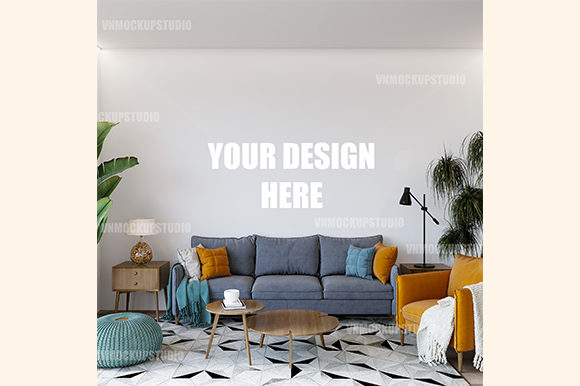
In addition to poster mockups, this product includes a dedicated banner mockup. Banners are ideal for horizontal artwork, promotional graphics, or Instagram Stories. The same smart-object workflow applies: double-click, insert your image, save, and you’re done. Having both formats in one file saves you time and ensures you can present any artwork shape — vertical, square, or horizontal — with the same high-quality Christmas background.
How This Mockup Fits into Modern Business and Creativity
For artists, designers, and small business owners, time is a precious resource. Creating a lifestyle shoot from scratch requires planning, props, lighting, and editing skills. A mockup eliminates all of that. It gives you a studio-quality result in minutes, at a fraction of the cost. This efficiency means you can spend more time creating art and less time wrestling with Photoshop layers or hiring photographers.
In the broader context of digital marketing, mockups are part of a larger trend toward contextual commerce — showing products in real-life scenarios so customers can imagine owning them. This approach aligns with how people actually shop: they want to see how a piece of art will look next to their sofa, above their bed, or in their holiday entryway. By providing that visual answer, you reduce friction in the buying journey.
Technical Details: What’s Inside the PSD File
Understanding the file structure helps you get the most out of the mockup. Here’s a breakdown of what you receive:
- File format: JPEG preview plus layered PSD file (Photoshop native format).
- Smart-object layers: Two separate smart objects — one for the poster mockup and one for the banner mockup. Each can be edited independently.
- Resolution: Over 2000×2000 pixels at 300 DPI (RGB), suitable for web use and small print previews.
- Easy editing: Double-click the smart-object thumbnail, insert your artwork, save, and return. The frame, perspective, shadows, and reflections adjust automatically.
- Reusability: The file may be used multiple times with different images. Each time you edit the smart object, it updates the scene.
- Compatibility: Works with Adobe Photoshop CS6 and newer (including Creative Cloud versions). Does not require plugins or external fonts.
Because the mockup uses smart objects, you never have to worry about distorting your image. The template preserves the original quality of your artwork while making it look like it was photographed in a real room.
Tips for Choosing the Right Artwork for Your Mockup
Not every piece of art will shine equally in a Christmas-themed scene. Here are some guidelines to help you select the best candidates:
- Warm tones work best. Reds, golds, greens, and deep blues complement the holiday colors already in the background. Cool or very dark images can clash with the festive mood.
- Consider the size ratio. The poster mockup works well for standard portrait or square orientations. The banner mockup suits wide horizontal images. If your artwork is very tall or very wide, choose the corresponding format.
- Keep the subject matter appropriate. Christmas mockups naturally suit winter landscapes, festive typography, holiday illustrations, or warm abstract art. That said, a neutral piece of modern art can also work — it contrasts nicely with the cozy setting.
- Test a few options. The beauty of the smart-object system is that you can swap images in seconds. Try different artworks in the same mockup to see which ones feel most harmonious.
Common Questions About Using This Mockup
Q: Do I need advanced Photoshop skills?
A: No. If you can open a file, double-click a layer, and save, you can use this mockup. It’s designed for beginners.
Q: Can I change the background or decorations?
A: The base scene is fixed, but you can add your own adjustments (like color overlays or brightness changes) if you’re comfortable with Photoshop. The smart object itself is locked to ensure consistent quality.
Q: Will my low-resolution image work?
A: The mockup adapts to any image size, but for best results, use artwork that is at least 1500 pixels on the longest side. The mockup’s high resolution means it can handle sharp, detailed images beautifully.
Q: Can I use this mockup for commercial products?
A: Yes. The license permits you to use the mockup for your own products, both personal and commercial. You cannot resell the mockup itself.
The Bigger Picture: Why Mockups Are Here to Stay
As online shopping continues to grow, the demand for realistic product visualization will only increase. Customers want to see how an item fits into their life before they commit. Mockups, especially themed ones like this Christmas set, provide that visualization at scale. They level the playing field, allowing independent creators to compete with large retailers in terms of presentation quality. They also save time, reduce stress, and give you back more hours to focus on what you do best — making art.
Whether you are a seasoned seller on Etsy, a freelance graphic designer, or a photographer expanding into print sales, adding a Christmas Theme Mockup Poster and Banner to your toolkit is a smart move. It helps you connect with the seasonal emotions of your audience, showcases your work in a flattering light, and simplifies your workflow. All from one PSD file that you can reuse again and again.
Final Thoughts
The holidays are a time of giving, celebrating, and decorating. By using a high-quality mockup, you give your customers the chance to see your artwork as part of their own traditions. The Christmas Theme Mockup Poster and Banner is more than just a template — it is a bridge between your creativity and a customer’s home. It eliminates guesswork, builds trust, and makes your shop feel professional and inviting. If you have been looking for a way to elevate your holiday product lineup, this is a simple, effective, and affordable solution.
Start with your best Christmas-themed design, open the PSD file, double-click the smart object, and watch your artwork come alive in a winter wonderland. Your customers will thank you — and your sales will reflect it.