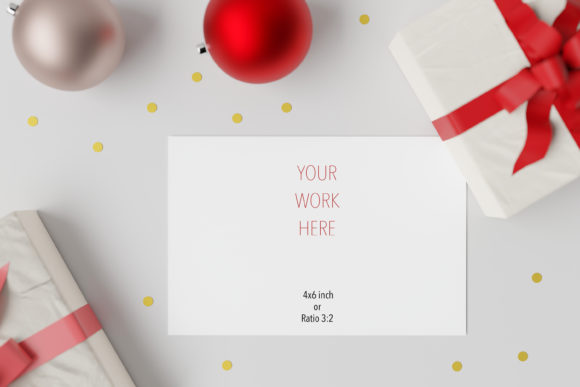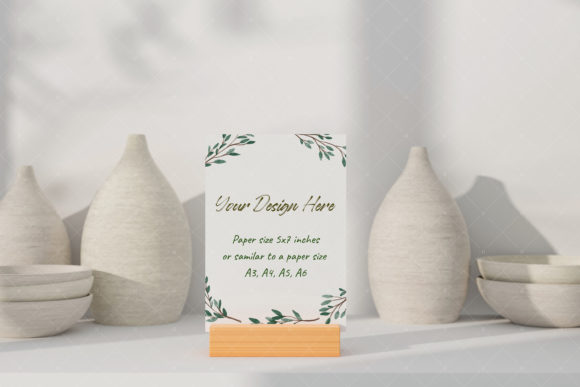
Postcard Greeting Card Mockup 4 for Your Artwork
If you have ever tried to present a watercolor painting, an illustration, or a hand-drawn design to a client, you already know that the medium matters as much as the art itself. Showing a flat digital file on screen rarely does justice to the texture, scale, and feel of a printed piece. That is where Postcard Greeting Card Mockup 4 steps in and makes your work look like it already exists in the real world.
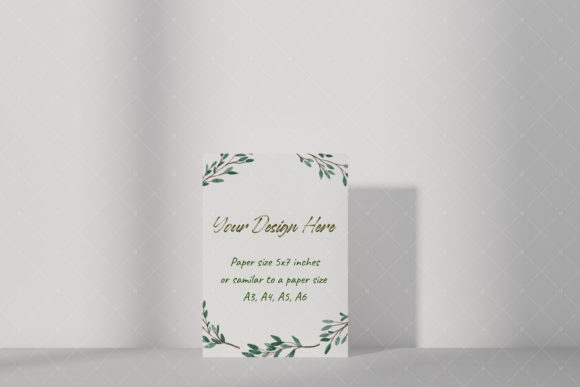
This particular mockup is built around the idea of simplicity and instant impact. You receive two files: a layered PSD with a smart object and a high-resolution JPG with a white blank inside the frame. Both are set at 300 DPI, so the sharpness and detail are there from the start. The core idea is straightforward — you drop your design into the smart object layer, and the mockup does the rest. The background, lighting, and framing are already handled.
What Makes This Mockup Different From a Scene Builder
You might be used to mockups that let you move every element around, swap backgrounds, or adjust shadows manually. That is not what this is. Postcard Greeting Card Mockup 4 is a ready-made scene, not a full scene creator. You cannot drag items to new positions or change the background.
At first glance, that might sound limiting. But for many creators, it is actually the point. When you are preparing a client presentation, an online shop listing, or a portfolio piece, what you really need is speed. You do not want to spend twenty minutes tweaking shadows and reflections. You want to drop your artwork into the scene, export, and move on. This mockup gives you that efficiency. The scene is already composed in a visually appealing way, so your design instantly looks polished and professional.
Who Benefits Most From This Mockup
One of the strengths of Postcard Greeting Card Mockup 4 is its versatility across different skill levels and use cases. It is designed to be beginner-friendly, but it also saves time for seasoned professionals.
- Freelancers and illustrators who need to present postcard designs, greeting card art, or small prints to clients. Instead of explaining how the final product will look, you can show them.
- Small business owners creating product listings for an online store. A photo-realistic mockup helps customers visualize the actual card before they buy.
- Watercolor artists and traditional media creators who want to display their work in a clean, modern setting without distracting from the art itself.
- Bloggers and content creators writing about print-on-demand products, stationery design, or creative workflows. A strong visual makes the article more engaging.
- Marketers and educators who need quick visuals for social media posts, course materials, or promotional emails. The white blank JPG also works well for mock presentations.
Each of these groups faces a common challenge: how to make a digital design feel tangible. This mockup solves that by wrapping your artwork in a realistic, photo-based scene that looks like it was actually photographed in good light on a nice surface.
Practical Use Cases and Realistic Scenarios
Let me walk through a few examples so you can see how this might fit into your actual workflow.
Client Presentations
Imagine you are a freelance illustrator who just finished a series of botanical watercolor postcards. Your client wants to see how the final printed cards will look. Instead of sending them loose JPEGs, you prepare a presentation using Postcard Greeting Card Mockup 4. You place each watercolor into the smart object, export the JPGs, and arrange them in a PDF. The client sees the artwork framed in a natural setting, with subtle shadows and a clean background. They get a feel for scale and presentation without you needing to print a single proof.
Online Store Listings
If you sell greeting cards or postcards on Etsy, Amazon Handmade, or your own website, product photography is a big factor in conversion rates. Not everyone has the budget or space for a professional photo setup. A high-quality mockup like this one gives you a consistent, attractive look across your entire shop. You can use the PSD version to batch-create images for multiple products, keeping the same background and lighting for a cohesive brand aesthetic.
Portfolio and Social Media
For artists and designers building a portfolio, context matters. A flat scan of a drawing can feel lifeless. Placing the same drawing into this mockup adds depth and realism. It signals to potential clients that you understand how your work translates to physical products. On social media, mockup images tend to perform well because they look like styled lifestyle shots rather than raw files.
Educational Materials
If you teach a class on card design, print layout, or watercolor technique, you can use the mockup to show students how their digital files would appear in print. The white blank JPG version is also useful for creating worksheets or templates where students can visualize the final product before they start.
What You Get in the Download
The product includes two main files, both at 300 DPI for high-resolution output. First, there is a PSD mockup file with a smart object layer. This is the interactive version where you can place your own design. Opening the smart object, pasting your artwork, saving, and the mockup updates automatically. It is about as simple as a mockup workflow gets.
Second, there is a JPG file with a white blank inside the frame. This is useful if you want to quickly show a placeholder or if you are preparing a layout where the exact artwork is not yet final. The white blank keeps the scene intact while leaving the card area clean.
Both files are real photo mockups, not 3D renders. That means the lighting, texture, and depth come from an actual photograph. The result is a natural look that feels grounded rather than artificially perfect. For many buyers and clients, that subtle realism builds trust. They see that your design fits naturally into a real environment, not just a synthetic preview.
Important Considerations Before You Use It
There are a few things worth keeping in mind before you purchase or use Postcard Greeting Card Mockup 4. Understanding these will help you get the most out of the file and avoid frustration.
- You cannot change the background or move objects. As mentioned earlier, this is a fixed scene. If your brand identity requires a specific backdrop or you need to show the card from a different angle, this may not be the right fit. But if you just need a clean, professional scene that works as-is, it saves time.
- The smart object layer is straightforward, but you need basic Photoshop knowledge. If you have never used a smart object before, do not worry. It is one of the simplest Photoshop features to learn. You double-click the layer thumbnail, place your design, save, and return. Any beginner can pick it up in a few minutes.
- The mockup is meant for postcard or greeting card sizes. Make sure your artwork has roughly the same aspect ratio as the frame. Stretching or distorting your design to fit will ruin the effect. It is best to prepare your file at the right dimensions before placing it.
- Real photo mockups may have slight color shifts compared to your screen. Because the image is based on a real photograph, the lighting and shadows affect how colors appear. This is normal. If color accuracy is critical for a client proof, you might want to supplement the mockup with a flat reference file.
- This is not a template for creating new scenes. If you need a full branding toolkit with multiple angles, backgrounds, and adjustable props, you would want a different product. This mockup is specialized for one thing: making your postcard or greeting card design look real, fast.
Why Real Photo Mockups Still Matter
In an era of advanced 3D software and virtual staging, real photo mockups might seem old-fashioned. But they have a unique advantage. A photograph carries a certain authenticity that a render can struggle to match. The imperfections — the way light falls across a surface, the subtle texture of paper, the slight depth of a shadow — all contribute to a feeling of reality.
For anyone presenting artwork to a discerning client, that authenticity matters. A rendered mockup can look too smooth or too perfect, which sometimes makes the design feel less genuine. A real photo mockup, like Postcard Greeting Card Mockup 4, bridges the gap between digital and physical. It says that your art is not just a file on a computer. It is something people can hold, send, and cherish.
Whether you are an experienced designer looking to streamline your client presentations or a beginner just starting to sell your work online, this mockup offers a reliable, straightforward way to elevate your visuals. It does not promise to do everything, but it does what it promises: it makes your artwork look like a real postcard in a real scene, with minimal effort on your part.
If you are unsure whether it fits your project, consider how much time you currently spend on mockups. If the answer is too much, or if your current mockups lack that photo-real quality, this is worth exploring. And if you have any questions along the way, most sellers are happy to help. The mockup is meant to support your work, not complicate it.