Christmas Interior Frame Mockup
If you sell digital art, prints, or photography, you already know the challenge: showing a flat image on a white background rarely does justice to your work. Customers need to see how a piece will look in a real space—how the colors interact with the room, how the frame sits on the wall, and how the overall vibe matches their holiday decor. That is exactly where the Christmas Interior, Frame Mockup steps in. This layered Photoshop PSD file gives you a smart-object-based frame that you can move, scale, and reuse as many times as you need. It is designed for anyone who wants to present artwork inside a cozy, festive interior without staging a photo shoot or renting a studio.
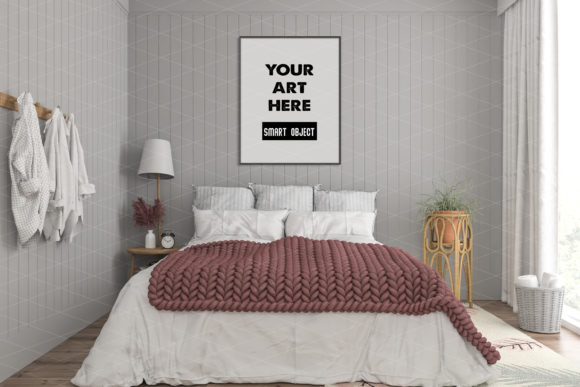
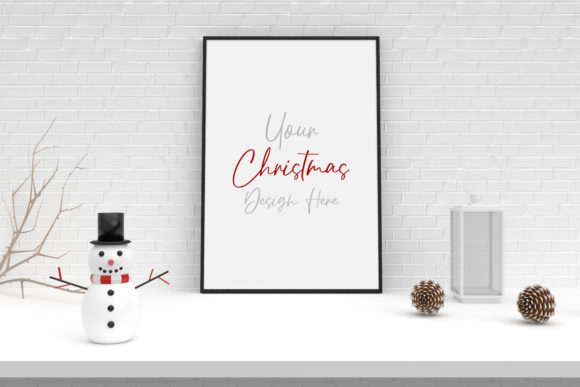
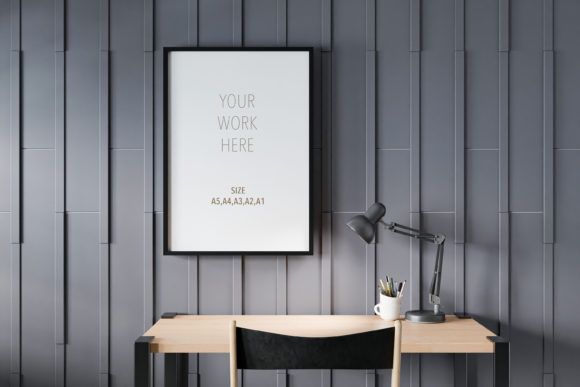
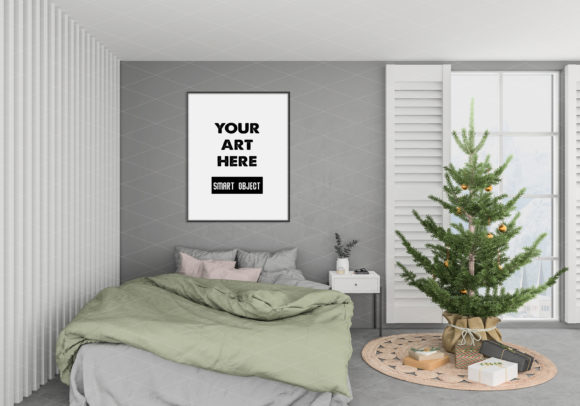
The mockup places your art within a thoughtfully styled Christmas room—think warm lighting, subtle greenery, and a comfortable seasonal atmosphere. The frame itself is a vertical mockup that you can reposition anywhere on the wall, resize using the transform tool (Ctrl+T), and even duplicate to create a gallery-style arrangement. Because the file is a layered JPEG PSD with a smart object layer, inserting your own image takes only seconds: double-click the smart object thumbnail, paste your artwork, save, and the mockup updates automatically. The result is a realistic, professional preview that helps your customers say yes faster.
Why a Christmas Interior Background Matters for Your Artwork
Seasonal context changes how people perceive your work. A minimalist line drawing might feel cold on a bare wall, but place it inside a warm Christmas interior with soft lighting and a hint of evergreen, and suddenly it feels like a gift. The Christmas Interior, Frame Mockup provides exactly that kind of setting. The background is not overpowering—it leaves enough breathing room for your art to remain the hero of the scene, while still adding a festive mood that resonates with shoppers during the holiday season.
For designers and small business owners, this is a practical tool. Instead of creating a new scene for every product listing, you have one reusable template that works across your online shop, blog, and social media. The mockup is also compatible with Photopea, a free online editor that supports PSD files, so you are not locked into Adobe software. Whether you are a hobbyist selling on Etsy or a seasoned brand strategist publishing a holiday collection, this mockup saves hours of production time.
Visual Characteristics and Personality of the Mockup
The mockup leans into a cozy, lived-in aesthetic. The interior features muted wall tones, soft natural light, and subtle decorative elements like a small wreath or twinkling lights in the background. The frame itself is clean and classic—it does not compete with your artwork but rather elevates it. The vertical orientation is ideal for portraits, typography prints, botanical illustrations, or any piece that benefits from a taller canvas.
What makes this mockup stand out is its flexibility. You can move the frame to different spots on the wall, scale it up or down, and even create multiple frames in the same scene. This means you can show a single artwork in various sizes or create a mockup with a set of prints for a gallery wall. The movable, scalable frame gives you control over composition without needing to rebuild the scene from scratch.
Practical Uses Across Creative and Commercial Projects
This mockup is not limited to one type of seller. Here are a few realistic ways you might use it:
- Online shop listings: Replace flat product photos with lifestyle images that show scale and context. Shoppers are more likely to purchase when they can visualize the art in a room.
- Blog and website headers: Use the mockup to create a seasonal banner that features your latest collection. The Christmas interior adds a timely touch without overwhelming your brand.
- Social media graphics: Post a carousel of your artwork displayed in the mockup. The consistent background creates a cohesive feed, and the festive setting encourages engagement during the holidays.
- Email marketing campaigns: Include a mockup image in your holiday newsletter to showcase new releases or gift ideas. The warm interior helps convey a sense of comfort and giving.
- Portfolio presentations: If you are pitching to clients or applying for collaborations, the mockup demonstrates how your work translates to a real environment. It adds a layer of professionalism that flat JPEGs cannot achieve.
For publishers and content creators, the Christmas Interior, Frame Mockup also works well for book covers, magazine spreads, or print-on-demand products. You can place a book cover design inside the frame to simulate how it would look as wall art, or use the interior backdrop as a subtle setting for a product launch announcement.
How the Mockup Influences Readability and Visual Hierarchy
When you present artwork inside a realistic interior, you are essentially telling the viewer: this piece belongs here. The mockup establishes a visual hierarchy where the art is the focal point, but the surrounding environment adds emotional weight. The soft lighting and neutral walls prevent distraction, while the frame itself acts as a boundary that focuses attention.
For typography-based art or quote prints, this is especially valuable. A well-designed quote can feel flat on a screen, but when placed inside the mockup, the words gain context. The viewer can imagine it hanging in their own living room, which increases perceived value. The same logic applies to abstract art, photography, and illustrations—the mockup gives each piece a home.
Practical Guidance for Choosing and Using This Mockup
Before you start, consider how the mockup fits into your overall workflow. The file is a layered PSD with a smart object, which means you can edit it non-destructively. Your original artwork remains untouched, and you can swap images in and out without losing quality. If you need to test different pieces in the same scene, simply duplicate the smart object layer and insert a new image each time.
Here are a few practical recommendations:
- Evaluate your art’s orientation. This mockup is vertical, so it works best with portrait-oriented pieces. If your artwork is horizontal, consider cropping or creating a landscape version of the scene.
- Test the transform tool. Use Ctrl+T to scale the frame up or down. Keep in mind that scaling too large may reduce the perceived realism, so aim for proportions that feel natural in the room.
- Move the frame to different positions. The mockup allows you to drag the frame left, right, up, or down. Try placing it above a imaginary console table or at eye level for a more convincing presentation.
- Create multiple frames. Duplicate the smart object layer to build a gallery wall. This is perfect for showcasing a series of prints or a collection with a common theme.
- Use with Photopea if needed. If you do not have Photoshop, open the PSD in Photopea (a free browser-based editor). The smart object layer works the same way, so you can insert your artwork and adjust the frame without any paid software.
Readability, Brand Perception, and Audience Engagement
From a branding perspective, the mockup helps you maintain consistency across your product images. Instead of random backgrounds that vary from listing to listing, you have one cohesive scene that reinforces your identity. This is especially useful for small business owners who want to build a recognizable visual style without hiring a photographer.
The Christmas interior also taps into seasonal emotions. Shoppers are often in a gift-giving mindset during the holidays, and seeing artwork displayed in a festive room can trigger a sense of nostalgia or warmth. This emotional connection increases the likelihood of engagement—likes, shares, comments, and ultimately purchases. The mockup acts as a silent salesperson, showing customers exactly how your art will enhance their own home during the most wonderful time of the year.
Commercial Licensing and Reusability
One of the strongest features of this product is that you can use it multiple times. The Christmas Interior, Frame Mockup comes as a JPEG layered PSD file with a smart object layer, and there is no limit to how many frames you create. You can use it for personal projects, client work, or commercial sales—just check the specific license terms included with your download to confirm usage rights. Most mockups of this type allow unlimited commercial use, but it is always good practice to review the file’s documentation.
Because the mockup is reusable, it offers strong value for money. A single purchase gives you a scene that you can adapt for dozens of products across multiple seasons. You are not buying a one-time image; you are buying a template that grows with your inventory.
Final Observations and Recommendations
The Christmas Interior, Frame Mockup is a practical, time-saving asset for anyone who needs to present artwork in a realistic holiday setting. Its movable, scalable frame gives you creative control without requiring advanced Photoshop skills. Whether you are a designer preparing a seasonal collection, a blogger creating festive content, or an entrepreneur launching a new print line, this mockup helps you communicate value and fit in a single image.
My advice: start by testing one or two of your best-selling pieces inside the mockup. Compare the response to your current flat images. You will likely notice an increase in engagement and a shorter time to purchase. Then, scale up—create multiple frames, experiment with positioning, and use the scene across your shop, social media, and email campaigns. The mockup is a tool that rewards repetition and consistency.
If you work with typography or illustration, consider pairing this mockup with a complementary font or design style that matches the cozy interior. While the mockup itself is not a font, the way you present your art inside it can reinforce your brand identity. A hand-lettered quote inside this scene feels right at home, just as a minimalist line drawing finds balance against the warm backdrop. The magic is in the combination.