Christmas Mockups and Poster Frame Templates: A Practical Guide for Designers and Creators
Creating holiday-themed visuals for your online shop, blog, or social media often requires more than just great artwork. How your designs appear in a realistic setting can make the difference between a casual browser and an interested buyer. Christmas mockups, poster frame mockups, and editable poster templates offer a solution, but choosing the right format depends on your workflow, your audience, and the type of product you are presenting. This article explores what these digital mockups are, how they compare with other presentation approaches, and when they are the most practical fit for your projects.
What Are Christmas Mockups and Poster Frame Templates?
Christmas mockups are digital files, typically created in Adobe Photoshop, that allow you to place your own artwork, photography, typography, or print designs into a pre-built scene. The scene often includes seasonal elements such as decorations, gift boxes, festive backgrounds, or interior settings with holiday accents. Poster frame mockups are a specific subset where your image appears within a physical frame—wood, metal, or minimalist—so the final visual looks like a real framed print.
These mockups usually come as layered PSD files with smart-object layers. The process is straightforward: you open the file, double-click the smart-object thumbnail, paste your image, save, and the mockup updates automatically. The frame adjusts to the shape and ratio of your inserted image, saving you time that would otherwise be spent manually aligning layers or recreating lighting and shadows.
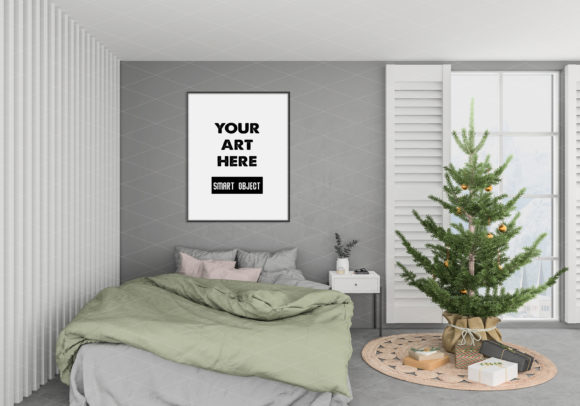
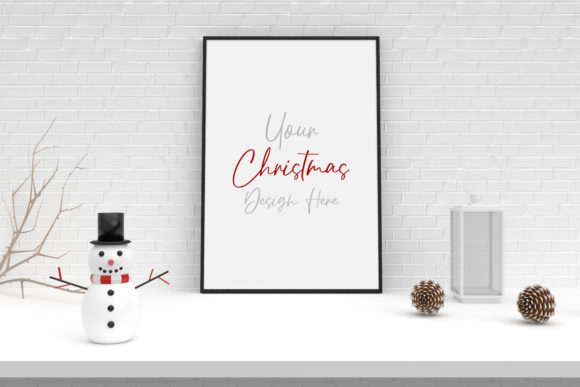
One example offered on many design marketplaces includes a white background setup with Christmas decorations and gift boxes, making it suitable for showcasing holiday cards, seasonal art prints, or festive photography. The clean white backdrop keeps the focus on your work while the subtle seasonal elements add context without overwhelming the design.
How Digital Mockups Compare with Alternative Presentation Methods
When deciding how to present your artwork, you have several options beyond digital mockups. Each method has its own strengths and limitations.
Flat Digital Previews vs. Scene-Based Mockups
A flat digital preview uses a simple image of your artwork without any contextual environment. This approach is fast to produce and works well for portfolios, style guides, or thumbnail galleries where you want the artwork itself to dominate. However, flat previews lack depth and scale. A customer viewing a Christmas poster on a plain background may struggle to imagine how it will look in their own space.
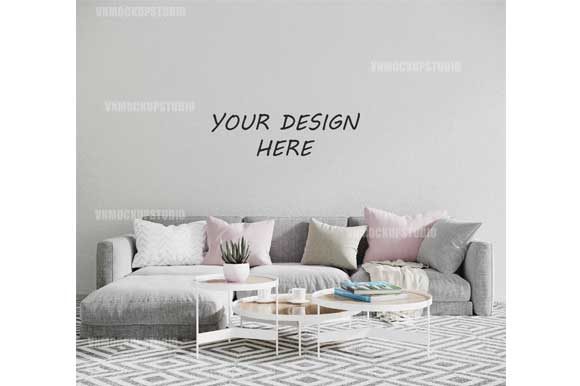
Scene-based mockups, such as the Christmas poster frame mockups described here, solve that problem. They place your design in a realistic interior or holiday setting, complete with shadows, reflections, and lighting. This context helps viewers gauge size, texture, and visual impact. The tradeoff is that creating or customising a scene-based mockup takes more time and requires familiarity with Photoshop layers and smart objects.
Physical Photography vs. Digital Mockups
Some designers and shop owners prefer to photograph their products in real interiors. Physical photography offers unmatched realism—every shadow, texture, and reflection is authentic. If your brand identity relies on hyper-realistic, one-of-a-kind imagery, physical photography may be the better choice.
Yet physical photography has clear drawbacks. It requires a camera, lighting equipment, props, and a suitable space. Changing the artwork means reshooting the entire scene. Seasonal updates, like adding Christmas decorations, require new setups. Digital mockups eliminate the need for repeated photoshoots. You can swap artwork in seconds, repurpose the same scene for different products, and maintain consistency across your portfolio.
Model- or Lifestyle-Focused Mockups vs. Frame-Focused Mockups
Some mockups emphasise lifestyle settings—a living room with a Christmas tree, a cozy fireplace, or a holiday dinner table. These scenes are powerful for storytelling and emotional connection. A poster displayed above a mantelpiece with stockings and fairy lights can evoke a warm, festive feeling.
Frame-focused mockups, on the other hand, prioritise the frame itself and the artwork inside. The background may still include seasonal elements, but the composition centres on how the framed piece looks on a wall or on a shelf. This format works well when you want customers to evaluate the frame style, proportion, and finish alongside your design. The Christmas background with gift boxes and a white backdrop example falls into this category—it provides context without distracting from the framed art.
Strengths and Tradeoffs of Using Christmas Mockups
Understanding the specific advantages and limitations of these mockups will help you decide when they are the right tool for your project.
Strengths
- Time efficiency: Once you have a PSD mockup file, inserting a new design takes less than a minute. This is invaluable if you are creating multiple variations of a Christmas product, such as different colourways or sizes.
- Consistency: Using the same mockup scene across your product line ensures a cohesive visual identity. Customers browsing your shop will see a unified style, which builds trust and brand recognition.
- Realistic presentation without a studio: You gain professional-looking results without renting a photography space or buying props. The lighting, shadows, and textures are already built into the file.
- Flexibility with seasonal themes: A Christmas mockup with decorations and gift boxes can be used for holiday cards, limited-edition prints, seasonal wall art, or festive promotions. The same scene may also work for winter-themed designs that are not strictly Christmas-related.
Tradeoffs and Limitations
- Learning curve: Although the smart-object workflow is simple, you need basic Photoshop knowledge to open the file, locate the smart object, and save correctly. Designers who avoid Photoshop or prefer browser-based tools may find the format restrictive.
- Fixed perspective and composition: You cannot change the angle of the frame, the lighting direction, or the arrangement of props without advanced Photoshop skills. If you need a different viewpoint or want to rearrange the gift boxes, you would need a different mockup file.
- Seasonal specificity: A Christmas-themed mockup may look out of place if you sell your product outside the holiday season. Some creators solve this by having both a seasonal and a neutral mockup in their toolkit.
- Resolution and format limitations: The final output is a JPEG, and the mockup resolution is fixed. If you need ultra-high-resolution images for large-format printing or detailed zoom views, the mockup may not suffice.
When Christmas Mockups Are the Right Choice
Christmas poster frame mockups are particularly well suited for certain situations:
- Selling holiday prints in an online shop: If you sell printable or pre-printed Christmas art, showing the design in a framed setting with festive props helps customers visualise the product in their home.
- Creating social media previews for seasonal content: A mockup image shared on Instagram or Pinterest can attract more engagement than a flat digital file, especially during November and December.
- Designing promotional materials for a holiday collection: If you are launching a Christmas-themed collection of art prints, cards, or photography, a consistent mockup style across the collection reinforces the seasonal message.
- Testing different designs quickly: For designers who are still iterating on a concept, mockups allow rapid comparison of how different colour palettes or compositions look in a realistic environment.
When Alternative Options May Serve You Better
There are also scenarios where another approach might be more practical:
- If your product is three-dimensional: A poster frame mockup works best for flat printed designs. If you are selling canvas wraps, acrylic prints, or other dimensional products, look for mockups specifically built for those formats.
- If you need a completely unique scene: Digital mockups are pre-made, so thousands of other designers may own the same file. For brands that prioritise exclusivity, commissioning a custom photoshoot or creating your own mockup from scratch can differentiate your imagery.
- If your audience expects very high realism: Some mockups include stylised lighting or decorative elements that can feel slightly generic. A high-end photography mockup or a real photograph may give a more authentic impression for premium products.
- If you avoid Photoshop entirely: Designers who work with Canva, Affinity, or web-based tools may find PSD-only mockups inaccessible. Some platforms now offer smart-object alternatives in other formats, but the majority of advanced mockups remain Photoshop-centric.
Practical Factors to Evaluate Before Choosing a Mockup
When you are comparing different Christmas mockups, consider these decision factors:
- File format and software requirements: Most editable mockups come as PSD files and require Photoshop. Confirm that you have access to the software and that your version can handle smart objects.
- Resolution and output size: Check the pixel dimensions of the mockup. A 300 DPI file at 4000×3000 pixels gives you flexibility for both web and print use. Lower-resolution files may look fine on screen but could pixelate if used in larger marketing materials.
- Customisability: Some mockups allow you to adjust the background colour, the frame finish, or the shadow intensity. Others are fixed. Decide how much control you need.
- Licensing terms: Many mockup files come with a commercial license that allows you to use the output images for products you sell. Always read the licensing details to avoid legal issues.
- Relevance of seasonal elements: The Christmas decorations and gift boxes in the background add context, but they also commit you to a specific theme. Consider whether the same mockup can serve non-holiday designs if you repurpose it later.
Realistic Example Scenarios
Example 1: A digital artist creates a set of 10 Christmas watercolour prints. Using a single poster frame mockup with a white background and a few gift boxes, the artist inserts each design into the smart object, saves the file, and exports JPEGs for an Etsy listing. The process takes about 30 minutes for all 10 variations. The consistent scene helps buyers compare the designs side by side without visual noise.
Example 2: A photographer offers framed holiday portraits. They need a mockup that shows the portrait in a realistic living room setting. Instead of staging and photographing each portrait in a real frame, they use a Christmas mockup that includes a mantelpiece, fairy lights, and a wreath. The mockup saves hours of setup time, and the photographer can update the images each year by swapping the portrait layer.
Example 3: A graphic designer is creating promotional images for a seasonal marketing campaign. They need both Christmas-themed and winter-themed visuals. The designer chooses a mockup with subtle seasonal decor that can also work for generic winter designs by editing the background layer—provided the PSD file supports such adjustments.
Making an Informed Decision
Christmas mockups, poster frame templates, and editable PSD files are practical tools for presenting your work in a realistic setting without the cost and time of a full photoshoot. They are not the only option, and they are not always the best option. Your decision should depend on your specific needs: the volume of designs you are presenting, your comfort with Photoshop, the level of realism your audience expects, and whether the seasonal theme aligns with your product line.
For designers who sell holiday art, create seasonal social media content, or need to produce professional product images quickly, a well-chosen Christmas mockup can streamline the workflow and improve the final presentation. For those who require unique, fully custom imagery or who work outside the Photoshop ecosystem, alternative methods such as custom photography or browser-based mockup tools may be a better fit.
By weighing the tradeoffs and evaluating your own priorities, you can select the presentation approach that supports both your creative vision and your practical constraints.