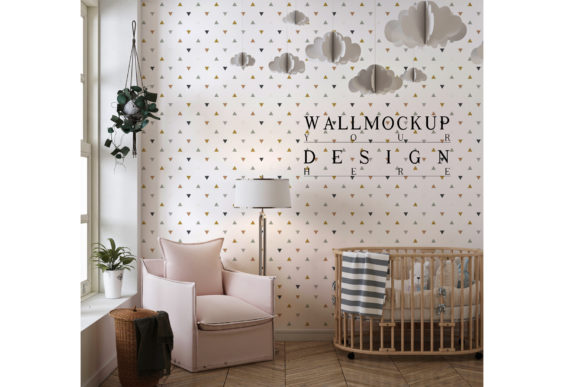
Wall Mockup in Cute Nursery Room
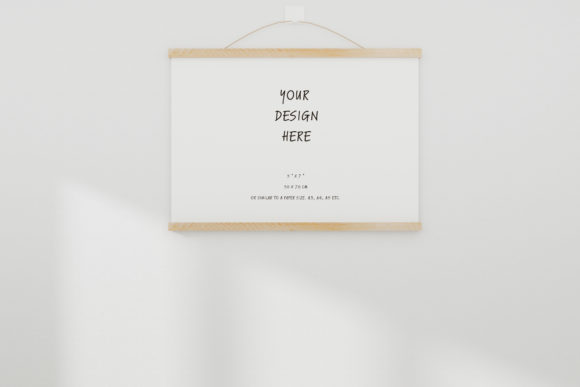
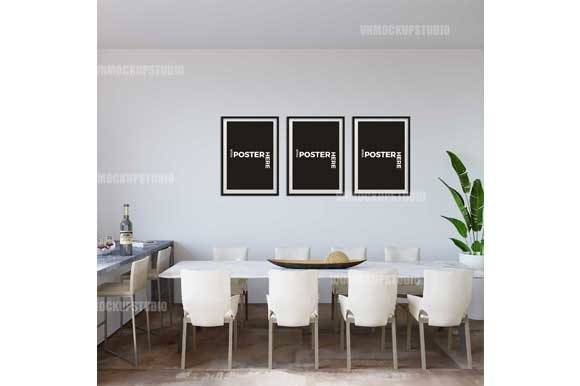
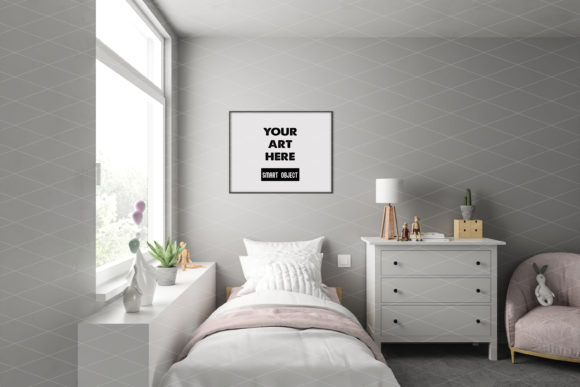
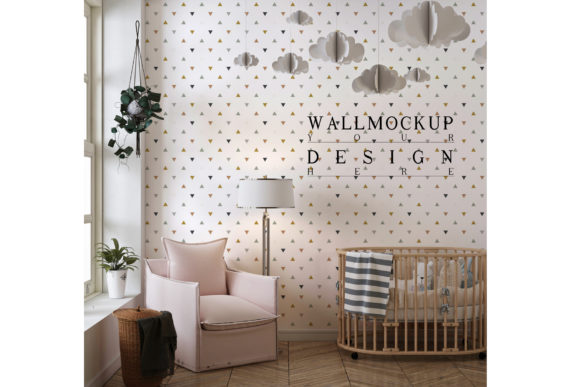
If you sell artwork, prints, wallpaper, or photography online, you know that context matters. A piece that looks good on a white screen can look stunning when placed inside a real room. That is exactly what a Wall Mockup in Cute Nursery Room helps you achieve. It is a layered Photoshop PSD file featuring a smart object layer that lets you drop your own image onto a wall within a beautifully styled nursery interior. The result is a realistic preview that helps customers imagine your product in their own home.
This tool is not just for seasoned designers. It is built for anyone who needs to present visual work in a warm, believable setting. Whether you run an online shop, manage a blog, post on social media, or create educational content, a nursery room mockup can elevate how your work is perceived.
What makes this mockup different
At its core, this mockup file gives you a high-resolution JPEG preview layered inside a Photoshop PSD file. The file is 2600 by 2200 pixels in RGB color mode, which means you get a large, clear output suitable for web use and print promotion alike. The smart object layer does the heavy lifting. You double-click the layer thumbnail, insert your artwork, save, and the wall automatically adjusts to match the size and ratio of whatever image you placed. There is no manual scaling, no guesswork, and no need to match perspective by hand.
The frame in the mockup also adapts to your image shape. Whether your artwork is square, portrait, or landscape, the frame responds accordingly. This flexibility makes the mockup usable for a wide range of products, from canvas prints and framed photos to wallpaper samples and digital art.
Why a nursery setting matters for your presentations
A nursery room is not a neutral background. It carries emotional weight. Pastel tones, soft furniture, and child-friendly decor create an atmosphere that is gentle and inviting. For sellers of children’s artwork, nursery decor, or family photography, this setting aligns directly with the audience they want to reach. But the value goes further. Even if your product is not specifically for kids, a nursery backdrop can signal warmth, care, and attention to detail. It helps your work feel approachable.
Different audiences will find different reasons to appreciate this setting. A creator selling whimsical animal prints will see an instant match. A photographer offering newborn portraits will find the room feels natural and relevant. A wallpaper designer may use the nursery to show how a pattern interacts with natural light in a lived-in space. The context helps your customer mentally place your product into their own life, which is often the difference between a browse and a purchase.
For online shop owners and small business owners
If you run an online store, your product images need to do more than show what something looks like. They need to show what it feels like to own it. A wall mockup in a nursery room gives your listings a consistent, professional look without requiring a photo studio or hired models. You can update your entire product lineup in minutes by swapping images inside the smart object. This saves time and keeps your shop looking polished.
You also gain the ability to test different product variations. If you sell art prints in multiple colorways, you can drop each version into the same nursery scene and compare how they read. The mockup becomes a decision-making tool, not just a presentation tool. Small business owners working on tight budgets will especially appreciate that one PSD file can be reused countless times with different artwork.
For bloggers and content creators
Bloggers in the home decor, parenting, or design space often need visual assets that feel editorial. A nursery room mockup fits naturally into a blog post about decorating a child’s room, choosing wall art, or creating a gallery wall. You can feature your own artwork or a guest artist’s work and show readers exactly how it might look in a real nursery. This kind of visual storytelling builds trust with your audience and makes your content more shareable.
Social media posts also benefit from the mockup. Instagram, Pinterest, and TikTok reward content that looks visually complete. A flat product image may get scrolled past, but a styled room shot invites people to pause, save, or click through. If you post frequently, having a reliable mockup file means you never have to scramble for a fresh background. You can produce cohesive content that reinforces your brand aesthetic week after week.
For beginners and first-time users
If you have never used a Photoshop mockup before, the process can seem intimidating. But this file is designed to be beginner-friendly. The smart object method is the most common and forgiving way to insert your own image. You open the PSD file, find the smart object layer in the layers panel, double-click its thumbnail, and a new window opens. In that window, you place your artwork, save, and close. Back in the main window, your image appears on the wall, already framed and scaled.
There is no need to know masking, blending, or perspective tools. The file handles all of that behind the scenes. For someone just starting to build an online presence, this removes a major technical hurdle. You can focus on your creative work instead of learning complex software tricks. And because the file works with any image size, you do not have to crop or reformat your artwork beforehand. Just drag, save, and see the result.
For experienced designers and professionals
Even if you are comfortable with advanced Photoshop techniques, a prebuilt mockup still offers practical value. It saves time on repetitive tasks. If you produce large batches of product previews for clients or for your own portfolio, working from a consistent template speeds up your workflow. You can also customize the PSD file further if you need to adjust lighting, shadows, or color tones. The layered structure gives you room to tweak without breaking the core functionality.
Professionals may also appreciate the commercial reliability of the file. Because it works with any image ratio and maintains high resolution, you can use it for client presentations, lookbooks, or print catalogs. The mockup gives you a controlled environment where your artwork is the star, but the room adds enough context to feel real. This balance is hard to achieve with custom photography every time.
For educators and hobbyists
Teachers and workshop leaders can use this mockup as a teaching tool. It offers a clear, repeatable example of how smart objects work in Photoshop. Students can practice inserting their own images and see immediate results. This hands-on exercise builds confidence with layer management, file saving, and output preparation. Hobbyists working on personal projects, such as designing art for their own home or creating gifts, will find the mockup equally useful. It lets them visualize how a piece might look before they commit to printing or framing it.
How to choose whether this mockup fits your needs
Not every product needs a nursery room background. If you sell minimalist black-and-white photography aimed at corporate offices, a soft nursery setting may not align with your brand. But if your work leans toward cozy, family-oriented, or decorative themes, the mockup can strengthen your presentation. Think about your target customer. Are they parents decorating a child’s room? Are they grandparents looking for a sentimental gift? Are they young adults styling their first home with playful touches? If yes, then this setting speaks directly to them.
Consider your skill level as well. Beginners will find the smart object workflow approachable. Experienced users will appreciate the flexibility and time savings. And if you manage multiple product lines, the ability to reuse the same mockup with different images makes it a practical long-term asset. The file format also matters. Since it is a layered PSD, you need access to Adobe Photoshop. If you work with other software, check whether it supports PSD smart objects before purchasing.
Practical tips for getting the most out of the file
To keep your results consistent, use artwork with good resolution. The mockup outputs at 2600 by 2200 pixels, so your source image should be at least close to that range to avoid pixelation. If your artwork is smaller, consider scaling it up in Photoshop before placing it into the smart object. Also, pay attention to the colors in your image. The nursery room has its own lighting and palette. Warm-toned artwork will blend naturally, while very cool or neon colors may stand out in a way that feels intentional or jarring depending on your goal.
You can also experiment with different versions of the same artwork. Try a cropped detail, a full-bleed print, or a version with a border. Because the smart object accepts any image ratio, each variation will produce a different framing effect. This lets you see which presentation best highlights the strengths of your work.
The long-term usefulness of a wall mockup
A good mockup does not expire. As long as the PSD file remains compatible with your software, you can use it for years. The nursery room setting is a classic choice that does not follow short-lived trends. Soft, cozy interiors stay relevant in home decor and children’s product markets. If your product line grows or changes direction, the same background can adapt. You are not locked into a single use case. One file can serve your online shop, your blog, your social media accounts, and your client presentations simultaneously.
For entrepreneurs and freelancers especially, this kind of reusable resource reduces overhead. Instead of hiring a photographer for every new product launch, you can generate realistic previews in minutes. The time and money saved can go into other parts of your business, like marketing, product development, or customer service.
Whether you are a beginner learning the basics of presentation, a seasoned designer streamlining your process, or a business owner looking for reliable visual content, a Wall Mockup in Cute Nursery Room offers a practical, flexible way to showcase your work. It meets you where you are and adapts to what you need to show. That is the kind of tool that earns a permanent spot in your creative toolkit.